Bolded fonts don’t seem to be bolded in FRx report?
Ever have this happen? You create bold fonts, apply them in the row, then when you run the report in the drilldown viewer, your fonts don’t look bolded at all. You can’t see them until they’re printed. That will happen with Arial 10 and probably others. Well here’s a way around that.
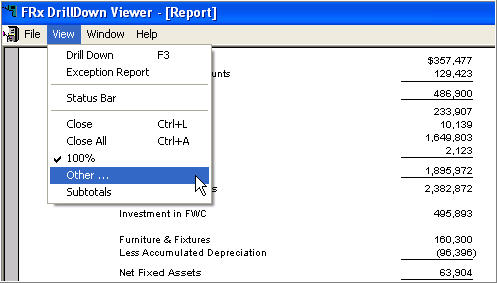
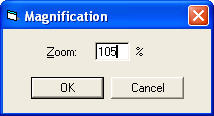
You’re going to change the Zoom. In the drilldown viewer, go to View, Other and change the resulting Magnification from 100% to 105%. That should do it.
Here are a couple of applicable screenshots:
Leave a Reply