One of my favorites—the F3 key will drop down a box.
Use it instead of a mouse.
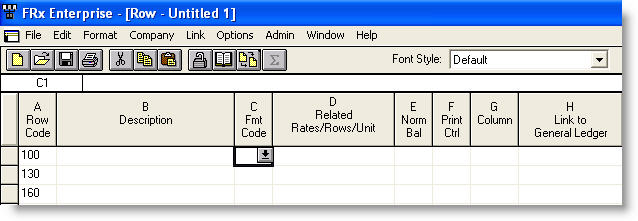
The F3 key works the same as clicking the dropdown box with the mouse. While I’d really encourage you to memorize Format Codes and not use the dropdown box at all, you can use F3 throughout FRx to save time when you don’t have the values memorized.
While I’m at it, F1 brings up FRx Help, such that it is. F2 allows you to Edit, just like in Excel. Alas, F4 does not repeat the edit as it does in Excel. I’ve been asking for it for years but given FRx’s future, I’d say my hopes are toast.
Other keyboard shortcuts are the ones you may use in other Windows applications: Ctrl S to Save, Ctrl C to Copy, Ctrl V to Paste…but no Ctrl Z to Undo!
Leave a Reply