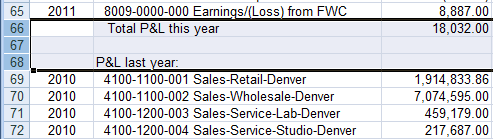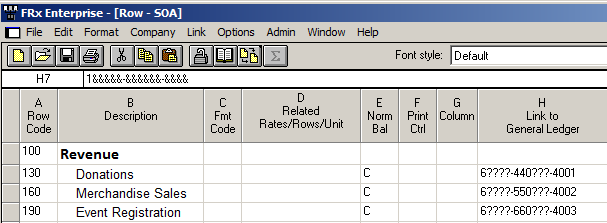
One of FRx’s inherent limitations is that when you have too many columns to fit on a page, FRx truncates and just doesn’t print the overflow. There are no column breaks!
What to do? Well, here are two options:
- Use 2 (or more) report catalogs. The first is for page 1, the second is for page 2, etc. You can chain them, but better make sure they run for the same date. And you better build in even more accuracy checks than usual.
- Excel. Either from the catalog or from the drilldown viewer, export to formatted excel. You’ll get all your columns and then you can manage printing from inside excel.
Personally? I like option 2 Excel. Simple, practical, easy, fast. What’s not to love?
By the way, you do have some control over what comes over to Excel. Worksheet options in the catalog and drilldown viewer allow you to uncheck things like ’print headings’ and ‘print underscore rows’. Those underscores always look awful in Excel. Turn ‘em off if you want, and put Excel’s format painter to good use.
FWIW, there are column breaks built into Management Reporter.
Epicor and Sage and FRx: what deadline?
Rumor has it that Epicor and Sage have an extended agreement with Microsoft that will allow customers to continue purchasing FRx until 12/31/11.
I heard this a few months ago and I’m really hoping it’s true. I tried contacting both Sage and Epicor so that I could hear it straight from the horse’s mouth. My efforts were ridiculously (or ridonkulously) ineffective. After hours on hold, well…I hung up.
Now I’ve heard it from a couple of colleagues as well. Here’s hoping.
How long will Microsoft continue to provide tech support for FRx for these two ERPs? I have no idea.
I’m hoping some readers might know something and comment as needed. Cheers—Jan
This is the third in a series of posts on simplifying FRx.
Once upon a time many years ago, I was helping a large publicly held client with some FRx reports. One of their reports had an incredibly long row format (thousands of rows), and it took FOREVER to run. Upon closer examination, I found that they were using the row format to code lots of accounts for every department. It was like having the entire chart of accounts in there. There was LOTS of room for human error, and heaven help you if you needed to add a department. It wasn’t wrong, but it sure needed some help. In today’s post I’m going to share a technique I used to shorten their row format to about 25 rows total. And performance—you just wouldn’t believe how much faster it was!
So this post is all about departmental reporting, showing a P&L by department (which should be one of the segments or dimensions in the account structure). As you probably know, in FRx you add a departmental tree and come up with a separate report for each unit in the tree. [click to continue…]
This is the second in a series of posts on simplifying FRx.
In almost every existing FRx implementation, I run across opportunities to simplify, meaning reduce, the number of catalogs (aka reports). That often translates to fewer rows, columns, and trees. I really love doing this because it means the client ends up with way less maintenance. Here’s an example with catalogs Before and catalogs After. [click to continue…]
This is the first of a series of posts on how to simplify FRx.
It’s so easy to make FRx harder than it should be. And it’s not only harder to set up but way tougher to maintain.
In this post I’ll give some real world examples of simplifying FRx totals and calculations. I’m using Before and After screenshots, so these are very practical examples. Without further ado, let’s dive in! [click to continue…]
Something fishy with an account balance?
It’s nice to be able to drilldown in FRx instead of going to the GL. Saves a few steps. I’m not going to show you what the finished product looks like because I’m in a demo database and the transactions look pretty tacky. But suffice to say that there’s probably a lot more to drilldown than you ever dreamed. [click to continue…]
Adding a page break in FRx is laughably easy—sort of.
For the most part, you should use the Format Code PI in the row format instead of the PB code. Why? Well, PB doesn’t actually stand for Page Break. It means “give me a new page for a balance sheet, and skip all those messy P&L accounts along with their column headings”.
So when you generate your report, if you’re missing accounts and activity after what you think is a Page Break, PB is probably the culprit. It looks like FRx is buggy, but it’s designed to work this way. Switch it to PI and you should be good to go. [click to continue…]
What to do when you want to run several FRx reports?
Run them one at a time? Well, most people turn to Chaining in the Output tab. That’s all well and good, but often I like to use Launcher instead. It’s fast and there’s no setup involved.
(Launcher was technically designed to allow non-designer users to run reports. Most folks don’t want the CFO in there fooling around with the designs, right? Give them Launcher and allow them to generate reports all day long without touching the FRx Designer.) [click to continue…]
This post is for Dynamics GP users—consultant extraordinaire Mark Polino has written a Cookbook for GP2010 (and earlier versions).
It’s available for pre-order at a nice discount.
I attended his 50 Tips session at Convergence last year and it was PHENOMENAL! Excellent tips, tricks and shortcuts for GP users. So if the new book is anything like his session, it’s pure gold. Per Mark: “If you have liked any of the 50 Tips Presentations this book is for you.”
This is his post on the book entitled Microsoft Dynamics GP 2010 Cookbook.
Enjoy!