I’ve just finished writing Creating Reports in Management Reporter II—Step by Step Instructions on a Dozen More Reports. It’s a followup to the first in the series and covers 12 more reports and at least 20 tips, tricks & techniques. Cheers—I’m celebrating! Jan … [Read more...]
Archives for January 2012
How to Calculate an Average in Management Reporter
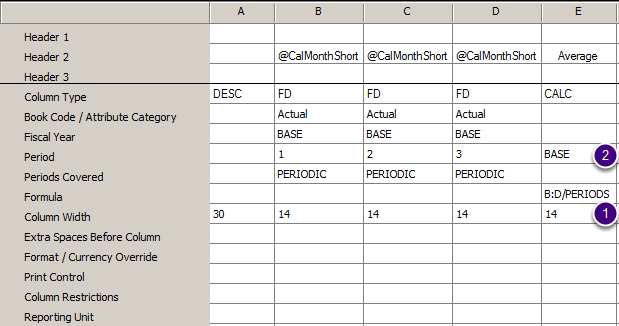
Management Reporter makes it easy to calculate a period average. Hey I haven't posted in a while because I've been really busy writing my next training guide, Creating Reports in Management Reporter II—Step by Step Instructions on a Dozen More Reports (due out later this … [Read more...]